How To Correctly Install a USPS Cluster Mailbox
Cluster mailbox units (CBUs) offer a convenient way for apartment complexes, gated neighborhoods, and large companies to provide centralized mail services to their residents or employees. These standalone units feature a pedestal-mounted mailbox structure with a series of individual mailboxes plus several parcel lockers that allow each resident to access their mail with a unique parcel locker key.
Because cluster mailbox units are more convenient and cost-effective for mail delivery and safer for residents, the United States Postal Service (USPS) has begun mandating that new residential developments utilize these systems. However, if you plan to purchase cluster boxes for your property, you should make sure to install your new units according to USPS regulations for location and stability.
Read ahead to learn how to correctly install your USPS-approved cluster mailbox unit, recently purchased from LowPrice Cluster Mailboxes, on your property.
Step 1: Choose Your Location
Before installing your cluster box unit (CBU), you should contact the Growth Manager at your local post office and determine an appropriate location for your unit. You'll need to install the CBU in a USPS-approved area that meets ADA regulations and allows letter carriers and residents to access the mailboxes easily.
Most post offices require mailboxes to be between 41 and 45 inches back from the road or between 6 and 8 inches away from the curb. The best way to determine an appropriate location for your CBU is to ask your local postmaster for guidance.
Step 2: Pour a Concrete Pad
Once you have arranged a suitable location for your cluster mailboxes, you will need to pour a USPS-approved concrete pad upon which to install your unit. Your concrete foundation specifications depend on your CBU unit's size—you can see the exact USPS guidelines here.
You may need to lay foundational material below your concrete pad if you live in a wet climate. Additionally, your concrete will need to contain:
- Compressive strength of 3,000 PSI after 28 days
- Between 4% and 6% max air entrapment
- Concrete slump between 3.50 and 4.50
Meeting these requirements will ensure that your cluster mailbox unit maintains stability and security in the face of harsh weather, impact, or forced entry.
Step 3: Drill in the Pedestal
After your concrete pad is completely dry, it's time to attach the pedestal onto the concrete foundation. Upon opening your delivery parcel, you'll see that your cluster mailboxes come with a template and gasket.
Follow these steps to drill the pedestal into the base:
- Place the template in the middle of the concrete pad.
- Drill a hole into each corner of the template. Be sure to drill at least 4.5 inches into the concrete using a 1/2-inch drill bit. (Your drilling specifications may vary depending on your specific mailbox unit).
- Clear the concrete pad of any dust, rocks, or debris.
- Lay the gasket onto the concrete pad to create a cushion between the foundation and the mailbox pedestal.
- Position the pedestal directly onto the gasket, making sure the unit is level. If your concrete is uneven, you can insert washers between the gasket and the stand on the lower side.
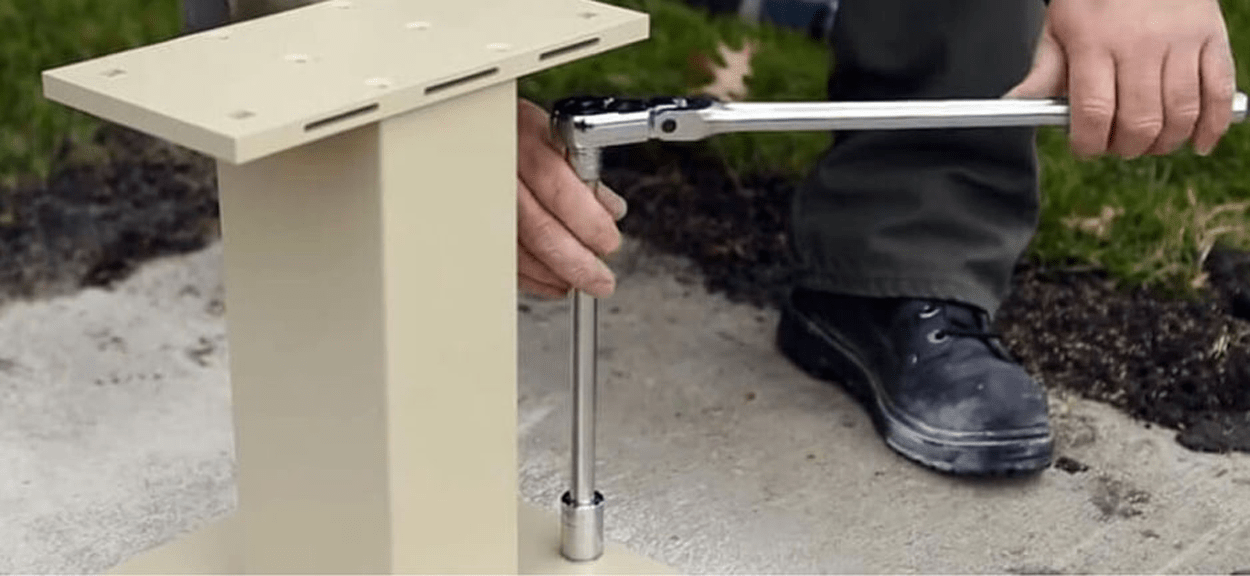
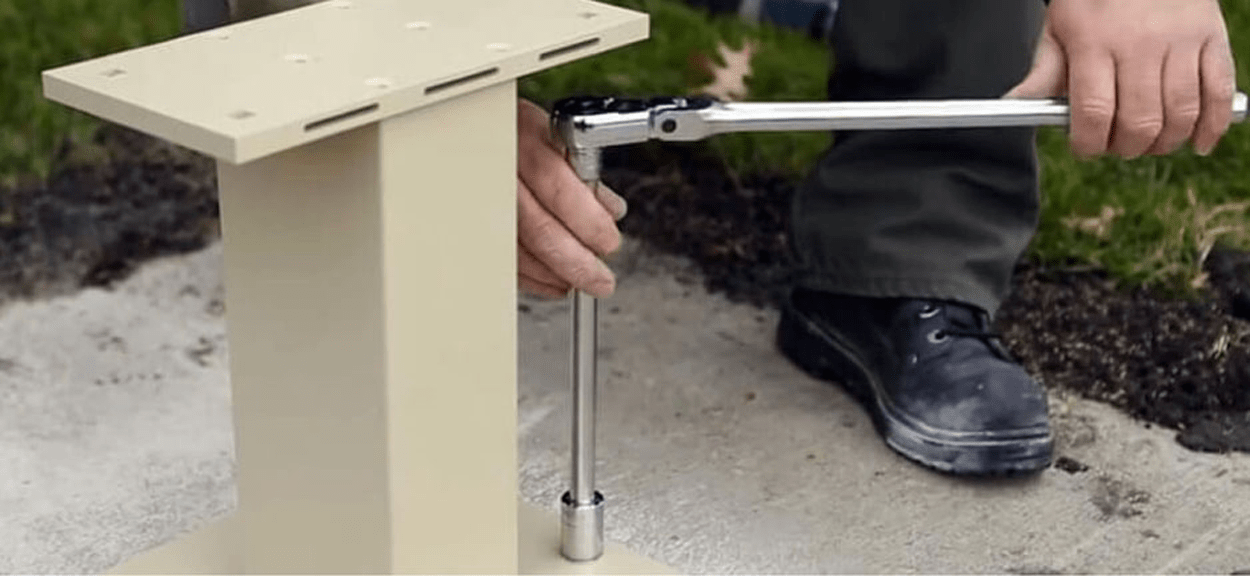
- Secure your anchor bolts through the holes in the pedestal and use a torque wrench, impact gun, or other tools to tighten them.
Once you have completed the pedestal installation, be sure to re-check that the unit is level.
Step 4: Fasten the Cluster Box To the Pedestal
Now it's time to remove the cluster box from the packaging and fasten it to the pedestal. We recommend asking a friend for help, as placing the box on the stand can be tricky for one person.
Before installing your box, make sure it does not have any scratches, dents, or damage and that any engravings or number labels are correct. Next, follow this installation process to fasten your USPS box to the pedestal:
- Lower your mailbox unit onto the stand.
- Open the unit's front panel, then slide the metal access plates out of the CBU's bottom mail slot. You will now have access to the hardware necessary to fasten the mailbox to the stand.
- Place a washer on each bolt.
- Slide a nut onto each washer.
- Use a ratchet wrench to tighten the nuts and bolts, securing the mailbox to the stand.
- Slide the metal access plates back into the mailbox.
Your unit should now be secure and level in the concrete foundation.
Step 5: Contact the United States Postal Service To Install Arrow Locks
Your next step is to contact your nearby post office to install arrow locks in the unit.
Mail carriers use USPS keys to open the CBU's master panel and distribute mail into each resident's slot. Once you finish setting up your CBU, a mail delivery carrier will install one lock in the outgoing mail door slot and in each parcel locker. These locks will allow the carrier to access all of the mail slots simultaneously, rather than opening each small mailbox door with a key.
Step 6: Test the Compartment Keys
We recommend testing your mailbox keys before distributing them to residents in your apartment complex. Doing so will ensure that your residents can easily access their mail and save you or the property owner time if any keys malfunction.
If a key does not work correctly, you can contact us at LowPrice Cluster Mailboxes for a replacement key.
Purchase Your USPS-Approved Mailbox Unit Today
Cluster mailboxes offer several advantages to your community or workplace. Purchasing one of our USPS-approved cluster mailboxes from LowPrice Cluster Mailboxes is an excellent way to provide safe, convenient, secure, easy-access mail service to your residents or employees while adhering to U.S. Postal Service regulations.
Each of our cluster mailboxes meets manufacturer requirements and USPS regulations for size and stability, so you can be sure that your unit will fit properly in your community. If you have any questions about installation, choosing the right mailboxes for your property, or USPS regulations, you can contact our customer service team for more information.
Are you in the market for one or more high-quality USPS cluster mailbox units? Check out our LowPrice Cluster Mailboxes inventory today to find the perfect cluster boxes for your property.